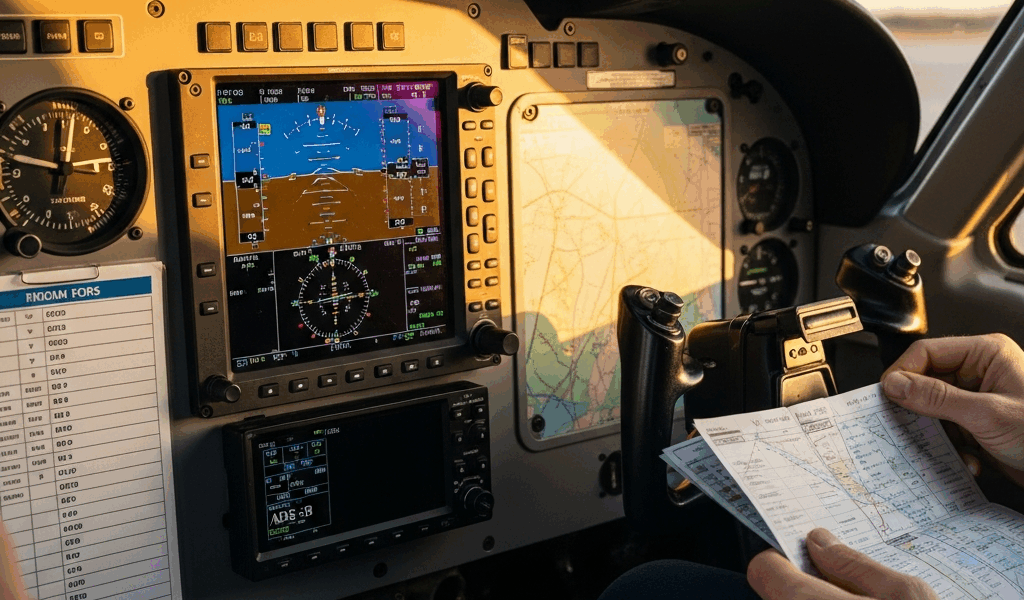
The Four ADS-B Mistakes That Keep Showing Up
ADS-B compliance has gotten complicated with all the misinformation flying around — and I mean that literally. As someone who has watched pilots walk into checkrides, avionics shops, and FAA compliance conversations completely unprepared, I learned everything there is to know about where these installations go wrong. Today, I will share it all with you.
- Flying with ADS-B In only. You bought a Stratus 3. You see traffic. You see weather. You assume you’re legal. You’re not. ADS-B In is receive-only — zero FAA mandate attached to it, none.
- Using a non-WAAS GPS to feed your transponder. Your older Garmin 430 pairs with a brand-new GTX 335. The position accuracy falls short. The FAA compliance database flags you anyway.
- Operating inside the Mode C veil without knowing it. That 30-nautical-mile ring around Class B airports catches pilots who are absolutely certain they’re outside the shelf. They’re not.
- Installing a transponder with no GPS pairing verification. The shop bolted the box in. Nobody confirmed the GPS source is WAAS-capable — or that it’s actually talking to the transponder.
Any one of these stops you cold on a checkride or surfaces in the FAA’s compliance tool. So, without further ado, let’s dive in.
ADS-B In vs ADS-B Out — Not the Same Thing
Probably should have opened with this section, honestly.
But what is ADS-B In? In essence, it’s a receiver. It pulls real-time traffic and weather from aircraft transmitting ADS-B Out signals and from ground stations. But it’s much more than that — it’s what most pilots actually buy first, which is exactly why the confusion starts there. ForeFlight, Garmin Pilot, portable units like the Stratus X or FreeFlight Sentry. All useful. All smart to have. None of it required by the FAA.
ADS-B Out is what you transmit. Your aircraft broadcasts position, altitude, velocity, and tail number to air traffic control and other equipped aircraft. That’s the mandate. That’s what the FAA enforces. That’s what you needed before January 1, 2020.
I’m apparently the type who learns things the hard way, and watching other pilots make this exact error never gets easier. I’ve sat with guys who dropped $1,200 on a portable ADS-B In receiver, flew with it every weekend for two years, and had zero ADS-B Out equipment installed. They got close to a Class B airport. They were in violation. Don’t make my mistake — or theirs.
The rule is blunt: if you fly in certain airspace, you transmit. Receiving is optional.
Why Your GPS Source Can Invalidate Your Compliance
This is the technical gotcha. Catches careful pilots constantly.
The FAA doesn’t just mandate ADS-B Out. It mandates accurate position data — specifically, position fed from a WAAS-capable GPS unit. WAAS stands for Wide Area Augmentation System. It tightens GPS accuracy to within roughly 7.6 meters. Without it, the FAA’s automated compliance checker rejects your aircraft outright.
Here’s what the real-world failure looks like: older aircraft, non-WAAS GPS already installed, avionics shop puts in a shiny new ADS-B Out transponder — maybe a Garmin GTX 345, a FreeFlight RANGR, or a uAvionix tailBeacon. Unit powers up. It transmits. Pilot assumes everything is legal. FAA compliance tool shows a failure two weeks later.
The transponder isn’t the problem. The GPS feed is. That’s what makes this mistake so endearing to us as a community of people who genuinely think we did everything right.
To verify you’re clear, pull your avionics documentation and look for the words “WAAS-capable” or “WAAS-enabled.” The Garmin GTX 345 includes an integrated WAAS GPS receiver — if that’s your transponder, you’re fine. Many aircraft running older panel-mount Garmin 430s need either a separate WAAS GPS source or an upgrade to something like the Garmin 480. The FreeFlight RANGR requires either its internal WAAS GPS or a verified external WAAS source. Same story with the uAvionix tailBeacon — it needs a dedicated WAAS GPS input.
Do a test flight. Confirm the transponder is actually receiving and broadcasting that WAAS position. If it’s not, you’re not compliant — regardless of how new the equipment looks sitting in the panel.
Airspace Confusion — Where You Actually Need It
The rules seem straightforward. Until they’re not.
Here’s the trigger list in plain language:
- Class A airspace (above 18,000 feet MSL): ADS-B Out required.
- Class B airspace (the controlled bubble around major airports): ADS-B Out required.
- Class C airspace (around medium-sized airports): ADS-B Out required.
- Above Class E at 10,000 feet MSL or higher anywhere in the continental U.S.: ADS-B Out required.
- Mode C veil (the 30-nautical-mile ring centered on Class B airports, surface to 10,000 feet MSL): ADS-B Out required.
- Class E surface areas at night (some airports revert to Class G): No ADS-B Out required when Class G — but check your sectional carefully before you assume anything.
The Mode C veil is where pilots stumble most. Thirty nautical miles from the primary Class B airport is a large ring — larger than it feels when you’re cruising at 3,000 feet over what seems like rural farmland. You might be inside it. Check the sectional. The veil shows as a dashed magenta line. Inside it, you need ADS-B Out. Full stop.
Second gotcha — the altitude rule above Class E. Flying VFR at 11,000 feet? You need ADS-B Out, even nowhere near controlled airspace. Most of the continental U.S. becomes Class E above 1,200 feet. That rule catches pilots who were absolutely sure they were clear.
How to Verify Your Aircraft Is Actually Compliant
Frustrated by a compliance question surfacing mid-checkride, or sitting in the back of your mind before a flight into Class B? Here’s the concrete action list.
- Check the FAA ADS-B Compliance Tool. Go to faa.gov/nextgen/equipadsb and use the Aircraft Compliance Tool. Enter your tail number. The system tells you what’s required for your aircraft and whether you’re flagged as compliant. This is the source of truth — not your shop, not your buddy, not the internet.
- Review your avionics logbook entry. The shop should have logged the ADS-B Out installation with the date, equipment model, and the GPS source paired to it. No entry? Call the shop. Get one written. You’ll need it for your checkride and for your own records.
- Confirm the GPS source in the transponder documentation. Pull the equipment manual. Verify the GPS unit feeding position data to your transponder is listed as WAAS-capable. Write down the model number and WAAS certification — keep it in the aircraft.
- Do a preflight test transmission check. Before your next departure, request a Mode C check from ATC. Most radar facilities provide this free. They’ll confirm your transponder is transmitting position, altitude, and target information cleanly. That’s your real-world verification — not a ground test, an actual transmission.
I’m apparently detail-obsessed about this stuff, and the FAA compliance tool works for me while guesswork never does. If that tool shows a failure, don’t call the tower. Call your avionics shop. They can re-certify the equipment or identify exactly what broke down in the installation.
Separate the signal from the noise. Get the GPS source verified. Confirm your airspace triggers. Test what you actually have installed. That’s the whole job.




Stay in the loop
Get the latest flighttechtrends updates delivered to your inbox.