Why Under $500 Is the Right Budget for Beginners — Not $2000
Drone guides have gotten complicated with all the gear-flex and sponsored recommendations flying around. As someone who spent three years crashing everything from a DJI Mini SE to an Air 3S, I learned everything there is to know about what actually works for new pilots — and what drains your bank account before you ever get good.
The best beginner drone in 2026 costs less than $500. Full stop.
This article includes affiliate links. We may earn a commission at no extra cost to you.
Here’s the thing nobody tells you upfront: beginners crash. Constantly. I put my first drone into a tree within the first week — not out of recklessness, just out of learning. That drone was $299. Had it been $1200, I’d have sold everything and taken up golf instead.
But what is the under-$500 entry zone, exactly? In essence, it’s the price range where crashes are survivable. But it’s much more than that. It’s where you build the actual fundamentals — throttle feel, directional instinct, wind management, battery habits — without the financial bleeding that comes strapped to premium models. A month flying a $299 drone teaches you more about your own limits than any YouTube series ever could. That’s the real value here.
Best Picks Under $500 in 2026
DJI Mini SE — $299
The Mini SE is the one I point beginners toward most often. Weighs 249 grams — and I’ll get into why that number matters enormously in the regulations section below.
Camera shoots 2.7K video and 12-megapixel stills. Real-world battery life runs about 18 minutes. The remote feels plasticky, honestly — like something that came bundled with a budget router — but the controls respond immediately and predictably, which matters far more when you’re learning.
What actually works: the price, the weight classification that keeps you registration-free, and a simplified menu that doesn’t bury new pilots under 47 settings they won’t understand for six months. The stabilization is electronic rather than mechanical, so footage looks fine for Instagram but won’t satisfy anyone with serious production ambitions.
What doesn’t: the 1080p ceiling on certain recordings, a build quality that feels borderline fragile, and wind sensitivity that turns breezy afternoons into genuinely stressful flights for anyone still learning the basics.
DJI Mini 4K — $389
Probably should have opened with this option, honestly. Most beginners should buy the DJI Mini 4K over the Mini SE — the extra $90 isn’t trivial on a tight budget, but it earns its keep fast.
Also 249 grams. Records true 4K at 30fps. The mechanical gimbal — real motors stabilizing a real camera — produces noticeably better footage than electronic smoothing alone. Battery stretches to around 25 minutes. Front obstacle avoidance detects objects before you hit them and throws up a warning, which saved me from three separate tree disasters in my first month alone.
The remote connects wirelessly and uses your phone as the display screen — battery holds about five hours on a charge. I’ve flown this one in light rain without incident, though DJI would prefer I didn’t admit that.
The 4K capability means footage stays usable as your skills grow. The gimbal makes a tangible difference. The obstacle avoidance catches the mistakes beginners make on autopilot. That’s what makes the Mini 4K endearing to us entry-level pilots who are still, frankly, figuring things out.
One genuine drawback: the menus are slightly more complex. Not overwhelming — just more of them.
Holy Stone HS720 — $250
Non-DJI option that deserves a real look, not just a dismissal. Weighs 249 grams. Shoots 4K video with electronic stabilization. Pushes 22 minutes of flight time on a full battery.
Advantage: longer battery life than the Mini SE at a lower price. Disadvantages: the remote feels dated, video quality is noticeably softer, and customer support is thin compared to DJI’s infrastructure. Build quality is adequate — not premium.
Buy this if you want the absolute lowest entry point or you have philosophical objections to DJI’s grip on the market. Skip it if an easy learning curve matters more to you than saving forty bucks.
FAA Rules You Need to Know Before Buying — Not After
I know this section looks boring. Read it anyway. FAA fines are less boring and significantly more expensive.
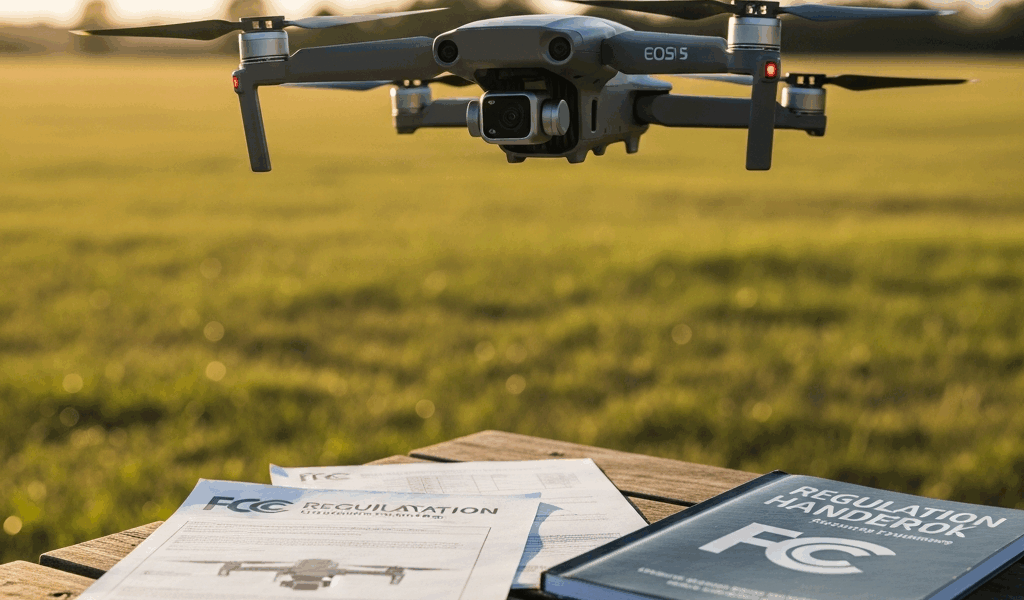
The single most important number in recreational drone flying is 250 grams. Drones at 249 grams or under don’t require FAA registration for recreational use. All three models above land exactly at that threshold — intentionally. DJI engineered the Mini line to sit just below the regulatory cutoff. That’s not coincidence.
Above 250 grams? Registration required. Costs $5, takes about ten minutes online, and produces an ID number that must be physically attached to your drone and remote. Don’t skip this step if it applies to you.
Second thing: the TRUST test. The FAA’s Recreational UAS Safety Test — ten multiple-choice questions covering airspace rules, safety basics, and weather awareness. Takes twenty minutes. Free. Unlimited retakes. I passed it my first try because most of it is common sense, though I’ve watched people need three attempts. You cannot legally fly without it. Getting caught without a passing certificate means fines up to $27,500. Don’t make my mistake of assuming nobody checks.
Third: altitude. Stay below 400 feet at all times, measured from ground level. Above that puts you in airspace where manned aircraft operate.
Fourth: visual line of sight. Direct visual contact with your drone at all times — around buildings, over hills, none of that. You’re legally responsible for seeing your aircraft.
Probably the most critical habit to build: check airspace before every single flight. Download the B4UFly app from the FAA, enter your location, and let it tell you whether you’re clear. Airports, military installations, stadiums — many locations prohibit drone flight outright or require waivers. The app takes thirty seconds. Use it.
Features That Matter vs. Marketing Hype
Camera Stabilization Matters — A Lot
Gimbal type is the actual difference between footage you delete immediately and footage you watch twice. Mechanical gimbals — motors physically holding and adjusting the camera — produce obviously superior results compared to electronic stabilization, which smooths footage in software after the fact. The Mini 4K has the mechanical gimbal. The Mini SE doesn’t. That gap is visible.
4K versus 1080p matters less than you’d think. Honestly. YouTube compresses uploads anyway. Phone screens are small. Beginners consistently overweight resolution when they should be weighing gimbal quality and obstacle avoidance. Get the stabilization right first.
Obstacle Avoidance Actually Saves Money
The Mini 4K’s front avoidance system uses computer vision to detect objects and alert you before impact. Trees have deceived me at least four times — this system caught three of them. That’s not a minor feature. That’s $300 in avoided repairs.
Crash a $299 drone and you’re out $299. Crash a $1200 drone and you’re out $1200. Obstacle avoidance might be the best option for beginners, as flying requires spatial awareness that takes time to develop. That is because new pilots are processing a dozen things simultaneously and simply don’t catch every hazard in the frame. The system covers the gaps while you’re still building instincts.
Wind Resistance Is Real
All three models struggle meaningfully above 20 mph winds. This isn’t a marketing lie — it’s physics. Light drones get pushed around. Every manufacturer understates their own wind ratings, apparently, so plan for genuine control difficulty above 15 mph and keep beginners grounded in anything past 12 mph while skills are still forming.
The Mini 4K handles gusts marginally better than the Mini SE — the weight difference creates slightly more stability in the air. Marginal. But real.
Flight Time Is Overstated
Manufacturer battery estimates assume perfect conditions: no wind, moderate temperature, smooth level flight. Real flying involves climbing, banking, fighting gusts — subtract roughly 25% from any stated flight time. The Mini 4K claims 25 minutes and delivers about 18 to 19 in practice.
While you won’t need a fleet of batteries, you will need at least two. Single-battery ownership creates frustration on a schedule. One charges while you fly the other — doubles your practical time, eliminates the specific cognitive misery of watching a full backup battery sit unused on a bench while you stare at the sky.
GPS Reliability Varies
All three models use GPS for position hold and return-to-home. Works reliably in open areas with clear sky access. Works poorly near large metal structures or under dense tree canopy — magnetic interference disrupts the signal faster than most people expect. Test your GPS lock before trusting auto-return in unfamiliar locations. Don’t assume it.
The Mini 4K runs dual-frequency GPS — more accurate than the Mini SE’s standard setup. Another small edge that compounds over time.
The Real Decision
Budget under $500? Buy the DJI Mini 4K at $389. Spend the leftover $111 on a second battery and a carrying case. That combination carries you through at least a year of serious flying without feeling underpowered.
Pass the TRUST test before your first flight. Check B4UFly every time. Start in open areas where crashes land in grass, not on someone’s car. Embrace the crashes — each one is teaching you something specific about how these machines behave in real air.
Frustrated by the idea of starting small? Don’t make my mistake of wishing I’d bought bigger earlier. After 50 hours of flight time, you’ll know your actual skill level — and whether upgrading to a $2000 camera drone makes sense or whether this was a fun phase that ran its course. That clarity alone is worth the $389.


Stay in the loop
Get the latest flighttechtrends updates delivered to your inbox.