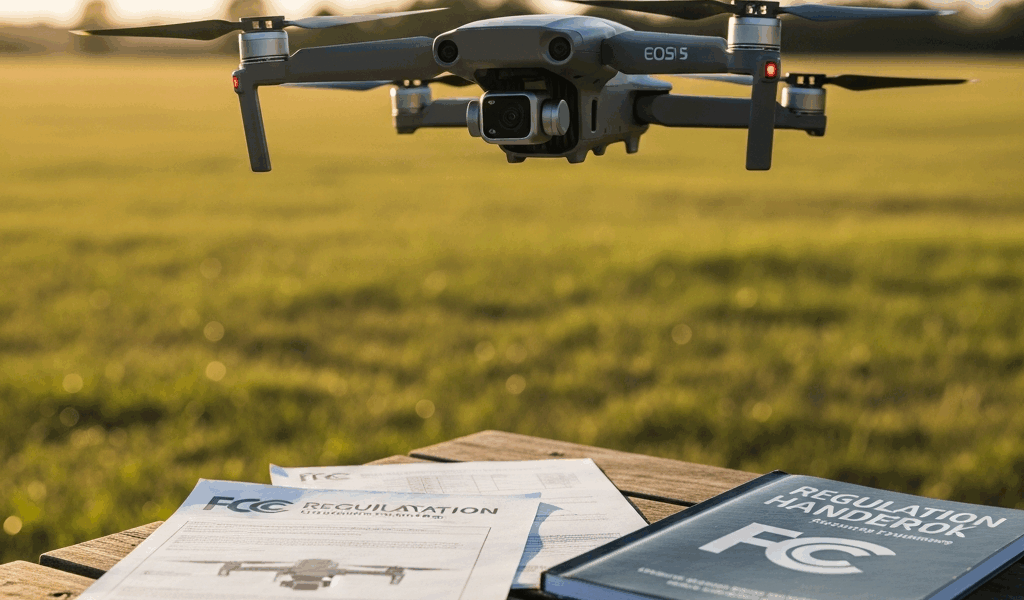
Why Under $500 Is the Right Budget for Beginners — Not $2000
Frustrated by drone guides that recommend $1500 models to beginners, I spent the last three years learning to fly everything from the DJI Mini SE to the Air 3S. The best beginner drone in 2026 costs less than $500. Full stop.
Here’s what I discovered: beginners crash. A lot. I crashed my first drone into a tree within the first week. Not because I was reckless—because I was learning. That drone cost me $299. If it had cost $1200, I’d have quit the hobby entirely.
The under-$500 price point serves a specific purpose. It’s the crash-proof entry zone where you learn fundamental skills—throttle control, directional awareness, wind management, battery handling—without the financial hemorrhaging that comes with premium models. Once you understand how drones behave in real conditions, you’ll know whether you actually want to invest in that $2000 camera drone or walk away entirely.
Spending a month flying a $299 drone teaches you more about your own limitations than any YouTube tutorial can. That’s the real value.
Best Picks Under $500 in 2026
DJI Mini SE — $299
The Mini SE remains the entry point I recommend most often to new pilots. Weighs 249 grams. This is critical, and I’ll explain why in the regulations section below.
The camera shoots 2.7K video and 12-megapixel stills. Battery lasts roughly 18 minutes of actual flight time. The remote feels plasticky in your hands, but the controls respond immediately and predictably. Flight distance reaches about 2 kilometers in ideal conditions, though realistically you’ll keep it within visual line of sight anyway.
What I like: the price, the weight classification that keeps you registration-free, the simplified menu system that doesn’t overwhelm new pilots with 47 settings they don’t understand yet. The camera stabilization is electronic rather than mechanical, so footage looks acceptable for social media but won’t satisfy anyone shooting documentary-level work.
What I don’t like: the 1080p-only recording on some footage, the plastic build quality that feels like it might crack if you sneeze near it, and the wind sensitivity that makes breezy days genuinely challenging for beginners.
DJI Mini 4K — $389
Released to replace the Mini 3 Pro, the Mini 4K hits the sweet spot between capability and beginner-friendliness. Also weighs 249 grams. Records true 4K video at 30fps. Mechanical gimbal provides noticeably better camera stabilization than the Mini SE.
Battery life extends to about 25 minutes. The obstacle avoidance system picks up objects in front of the drone and warns you before collision. This safety feature alone saves beginners from expensive mistakes.
The remote is wireless and connects to your phone, which doubles as the display screen. Battery lasts about 5 hours on a single charge. I’ve flown this model in light rain without issues, though that’s technically not recommended by DJI.
Honest assessment: probably should have opened with this option, because most beginners should buy the Mini 4K over the Mini SE. The extra $90 gets you meaningful upgrades. The 4K capability means your footage remains usable even as your skills improve. The gimbal makes a tangible difference in video quality. The obstacle avoidance catches mistakes I made regularly in my first month of flying.
Drawback: slightly more complex menu navigation. The settings aren’t overwhelming, but there are more of them.
Holy Stone HS720 — $250
Non-DJI option that deserves serious consideration. Weighs 249 grams. Shoots 4K video with electronic stabilization. Flight time reaches 22 minutes with a full battery.
Advantage over DJI options: longer battery life. Disadvantage: the remote feels older, the video quality is noticeably softer, and customer support is thinner than DJI’s. Build quality feels adequate but not premium.
Buy this if you want the absolute lowest entry point or you’re philosophically opposed to DJI’s market dominance. Skip this if you want the easiest learning curve.
FAA Rules You Need to Know Before Buying — Not After
I know this section seems boring. Read it anyway. Getting fined by the FAA is less boring but significantly more expensive.
The single most important number is 250 grams. Drones weighing 249 grams or less don’t require FAA registration for recreational flight. Both the Mini SE and Mini 4K land exactly at this threshold. The HS720 does too. This is intentional manufacturing—DJI specifically engineered these models to sit just below the regulatory line.
Above 250 grams? You must register your drone with the FAA. Registration costs $5 and takes about 10 minutes online. You get an identification number that must be physically affixed to your drone. This number goes on your remote as well.
Second critical requirement: the TRUST test. Anyone flying a recreational drone must pass the FAA’s Recreational UAS Safety Test. It’s a 10-question multiple-choice exam covering basic airspace rules, safety protocols, and weather awareness. Takes 20 minutes. Costs $0. You can retake it unlimited times. I passed it on my first attempt because most questions are common sense, but I’ve met people who needed three attempts.
You cannot legally fly without passing TRUST. Getting caught without a passing certificate carries fines up to $27,500.
Third rule: altitude. Keep your drone below 400 feet at all times. This is measured from ground level. Flying above 400 feet puts you in the territory where manned aircraft operate.
Fourth: visual line of sight. You must maintain direct visual contact with your drone at all times. You cannot fly it around a building you can’t see. You cannot fly it over a hill and down the other side. You’re responsible for maintaining sight of your aircraft.
Probably most important: airspace restrictions. Download the B4UFly app from the FAA. Enter your location. The app tells you if you’re in restricted airspace. Many areas near airports, military bases, and stadiums prohibit drone flight entirely. Some areas require special waivers. Check before every flight.
Features That Matter vs Marketing Hype
Camera Stabilization Matters — A Lot
Gimbal type is the difference between shaky footage you delete immediately and footage you actually watch. Mechanical gimbals (like on the Mini 4K) use motors to stabilize the camera. Electronic stabilization (like on the Mini SE) uses software to smooth video after capture. Real-world difference: mechanical gimbals produce obviously superior footage.
4K versus 1080p matters less than you think. Honestly. Your YouTube upload gets compressed anyway. Your phone screen is small. Beginners overweight 4K capability when they should overweight gimbal quality and obstacle avoidance.
Obstacle Avoidance Actually Saves Money
The Mini 4K’s front obstacle avoidance system uses computer vision to detect objects and alert you. Sounds like a minor feature. In practice, it’s prevented crashes I didn’t see coming. Trees have deceived me at least four times. This system caught three of them.
If you crash a $299 drone, you’re out $299. If you crash a $1200 drone, you’re out $1200. Obstacle avoidance is cheap insurance that pays for itself immediately.
Wind Resistance Is Real
All three options struggle in winds above 20 mph. This isn’t a marketing lie—it’s a physics limitation of light drones. Every manufacturer understates wind ratings. Expect meaningful control difficulty above 15 mph. Beginner pilots should avoid flying in anything beyond 12 mph winds while learning.
Choose the Mini 4K and you get slightly better wind handling than the Mini SE. The extra 100 grams of the Mini 4K creates marginally better stability in gusts. Marginal, but real.
Flight Time Is Overstated
Manufacturers measure flight time in perfect conditions: no wind, moderate temperature, smooth flying. Real flight includes climbing, turning, fighting wind gusts. Subtract 25% from any manufacturer’s flight time estimate. The Mini 4K claims 25 minutes but delivers about 18-19 minutes realistically.
Buy at least two batteries. Single-battery ownership guarantees frustration. While one battery charges, you fly the other. This doubles your practical flight time and prevents the cognitive torment of watching a fully charged backup battery sit unused while you wait.
GPS Reliability Varies
All three models use GPS to hold position and return home automatically. Works reliably near the equator and in areas with clear sky visibility. Works terribly near magnetic anomalies like large metal structures or under dense tree canopy. Test your GPS lock before trusting the return-home feature in unfamiliar locations.
The Mini 4K’s dual-frequency GPS is more accurate than the Mini SE’s standard GPS. Another small advantage that compounds over time.
The Real Decision
Budget under $500? Buy the DJI Mini 4K for $389. Spend the remaining $111 on a second battery and a carrying case. That combination serves you for at least a year of serious flying.
Pass the TRUST test. Check B4UFly before flying. Fly in open areas where crashes won’t destroy property. Embrace the crashes—they’re teaching you something every single time.
Once you’ve flown 50 hours and understand your actual skill level, you’ll know whether to upgrade or walk away. That knowledge is worth the $389 investment alone.


Stay in the loop
Get the latest flighttechtrends updates delivered to your inbox.