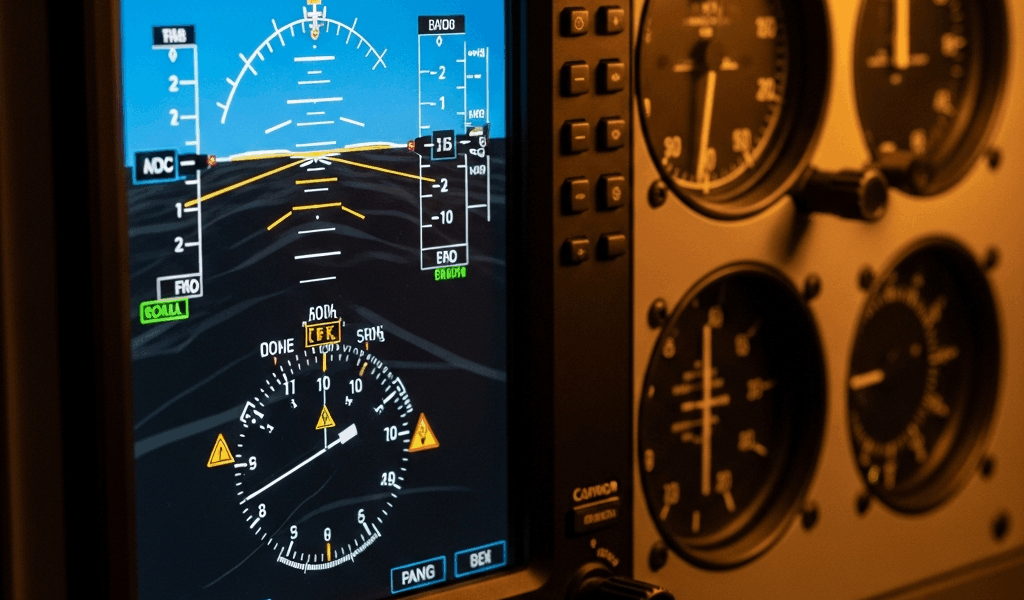
Why the G5 Still Trips Up Experienced Pilots
The G5 has gotten complicated with all the conflicting advice flying around. Forums say one thing, your avionics shop says another, and meanwhile you’re standing on the ramp at 6 a.m. watching your attitude indicator do something deeply unsettling. As someone who’s logged over 400 hours behind a G5 panel and fielded questions from owners dealing with unexpected behavior, I learned everything there is to know about these failure modes. Today, I will share it all with you.
Most problems fall into four buckets: erratic attitude right after startup, magnetometer calibration ghosts, unexpected reboots mid-flight, and power-related dropouts. None of these mean your G5 is trash. They mean you need to know what you’re actually looking at — and how to handle it without a shop visit eating your weekend and $800 you weren’t planning to spend.
G5 Shows Erratic Attitude Immediately After Startup
You power up. The G5 boots. The attitude indicator spins wild, shows impossible bank angles, rolls without any input. Your stomach drops. Then, 60 seconds later, it settles completely and acts normal. That’s not a malfunction. That’s the AHRS — Attitude Heading Reference System — doing exactly what it’s designed to do. It just catches pilots off guard the first time.
But what is the AHRS initialization sequence? In essence, it’s the unit aligning its inertial sensors to true level before committing to attitude data. But it’s much more than that — it’s the G5 essentially asking the universe “where is level?” and waiting for a confident answer before it gives you one.
What You’ll Actually See
The horizon line rolls. The bank indicator twitches. The artificial horizon moves in ways that correspond to absolutely nothing you’re doing. Perfectly normal. Small text — “INITIALIZING” or “SELF TEST” — appears on screen. Easy to miss if you’re rushing your scan, honestly.
How long does this take? Typically 30 to 60 seconds. Cold mornings stretch that window considerably. I’ve watched it run 90 seconds on a February morning at Republic Airport when temps were sitting at 28°F. The cold doesn’t damage anything — it just slows gyro spin-up.
The Real Trap
Probably should have opened with this section, honestly. The trap is pushing the throttle during initialization. You see erratic attitude, assume the unit is malfunctioning, feel the pressure of a busy pattern, and start flying the plane by reference to an indicator that hasn’t finished waking up yet. That’s partial panel flying in a full-glass cockpit. Don’t make my mistake.
The fix costs you nothing but two minutes. Cycle power well before your first flight. Watch the horizon line. Wait for it to stop moving and for the bank needle to park itself at zero. Done. Some installations include an annunciator light wired specifically to the G5 initialization — it extinguishes when alignment completes. Check your avionics documentation to see if yours has one.
Warm day, initialization running past 90 seconds, erratic behavior that won’t quit? That’s a different conversation — probably magnetometer calibration, possibly something deeper. But nine times out of ten, the G5 just needs a second.
Magnetometer Errors and Heading Drift Mid-Flight
Twenty minutes into cruise and the heading starts creeping. Your OBS says 180 magnetic. The heading indicator says 195. Or it drifts five degrees every few minutes — attitude rock solid, but the magnetic heading portion wandering like a GPS signal under an overpass. That’s what makes magnetometer problems so sneaky to pilots who aren’t watching for them.
The culprit is almost always the GMU 11 magnetometer module — the external unit mounted on your airframe, usually on a wing strut, fuselage belly, or tail cone. When it’s miscalibrated or contaminated by local magnetic interference, heading drift happens quietly and without warning.
Where the Interference Comes From
Heated pitot tubes draw serious current. That current running through unshielded wiring creates a magnetic field that bleeds directly into the GMU 11’s sensor if it’s mounted too close. I’ve seen this trigger heading drift within three weeks of a pitot heat upgrade — shop did clean work, but the routing brought a wire within about four inches of the magnetometer. Ferrous metal components cause the same issue. Engine mount brackets, radio racks, autopilot servos, even a new mounting bracket added during a paint job can skew the local magnetic environment around the GMU 11.
That’s what makes interference so frustrating. The G5 worked fine before. Nothing “broke.” Something nearby changed, and now the magnetometer is reading a contaminated field.
Identifying a Calibration Problem vs. Hardware Fault
Fly toward an airport you know well. Dial in its magnetic runway heading on the OBS. Watch what your G5 heading indicator does. Drifts away consistently? Recalibrate. Holds steady? Hardware is fine.
Inconsistent drift — three degrees one minute, five degrees the next — usually points to calibration. Steady drift that keeps building in one direction often means electromagnetic interference or a sensor that’s actually failing. Two different problems, two different solutions.
How to Recalibrate the GMU 11
Garmin’s official procedure calls for a level surface and a compass rose on concrete. Sounds formal. Here’s what it actually looks like in practice:
- Power on the G5 and let initialization finish completely.
- Navigate to the Setup menu using the control knob.
- Select “Compass” or “Magnetometer Calibration” — exact wording depends on your software version.
- Follow the on-screen prompts. The unit will ask you to point the nose at cardinal headings: North, East, South, West.
- Align your fuselage using ground references or a quality handheld compass — a Suunto A-10 runs about $25 and lives in my flight bag.
- Confirm each heading when prompted. The whole process takes roughly five minutes per aircraft.
- The G5 stores the calibration and holds it until you recalibrate again.
Full language lives in Garmin’s G5 Installation Manual, Section 5.2.4. Print it or pull it on your phone before you start — UI differences between software versions are real and will confuse you mid-procedure if you’re not prepared.
Here’s the part that matters most: heading drift doesn’t always throw an alert. The G5 will fly on bad magnetometer data without saying a word. You’ll just notice the creep during cruise. Catch it during a flight review and fix it on the ground before it becomes a problem at a critical moment.
G5 Reboots or Goes Dark in Flight
Screen goes black. Unit restarts. For about 10 seconds you’re staring at a blank panel. It comes back up and you’re flying again, but your pulse is somewhere north of 180. Rare — but it happens. When it does, it’s almost always one of two things.
Power Supply Voltage Drops
The G5 operates on 10 to 32 volts DC. Drop below 10 volts and it shuts down. During a cold start, when your alternator is working hard and the engine starter is pulling everything available, avionics bus voltage can sag hard. Older alternator, worn battery terminals, loose bus wiring — any of these can push that sag below the 10-volt threshold for just a moment. The G5 interprets that as a power loss and reboots itself.
Check your avionics bus voltage on the ground with a multimeter. A healthy reading with the engine running is 13.5 to 14.5 volts. If you’re seeing 12.8 to 13.0 volts, that’s borderline. Anything dropping to 11 volts or below during start means you have a power quality problem — and that conversation needs to happen with a mechanic before your next flight, not after.
The G5 also includes a backup battery rated for roughly 30 seconds of operation if main power fails completely. Test it on the ground by killing the master switch. Display should stay lit. Goes dark immediately? Your backup battery is dead or was never installed. I’m apparently running an early installation and found this out the hard way during a routine check — backup battery wasn’t seated correctly and the shop had missed it. Don’t make my mistake.
Firmware-Related Hangs and Reboots
Garmin’s G5 firmware versions 6.21 through 6.23 contained a documented bug that triggered unexpected reboots — mainly when the autopilot disconnected during certain flight phases while the G5 was switching display modes rapidly. Fixed in version 6.24. That was March 2023.
Check your version. Navigate to Setup → About on the G5. Version number sits at the bottom of that screen. Running 6.23 or earlier? Schedule an update. Garmin pushes firmware through authorized service centers or certified mechanics with the proper software tools. Budget roughly $150–$300 depending on your shop’s labor rate — it’s quick work for them.
Do not attempt a DIY firmware update on the G5. You need Garmin’s equipment to push the file safely. One botched attempt and you have a $2,000 brick.
When to Call Your Avionics Shop vs. Fix It Yourself
So, without further ado, let’s dive into who handles what — because the line between “I can do this on the ramp” and “this needs a shop” matters more on avionics than almost anywhere else.
You Can Handle These
- Erratic startup attitude. Wait through initialization. 30 to 60 seconds on a warm day, up to 90 seconds in the cold. Persists beyond that? Move to magnetometer calibration.
- Magnetometer recalibration. Follow the procedure above. Twenty minutes, costs nothing, requires only a handheld compass and a flat surface.
- Voltage checks. A decent multimeter — a Fluke 101 runs about $30 — tells you everything you need to know about your avionics bus health. Low readings go to your mechanic, but the diagnosis is yours.
Your Shop Handles These
- Hardware sensor failures. Recalibration doesn’t stop heading drift? The GMU 11 sensor is failing. Replacement and reinstallation is certified shop work — full stop.
- Firmware updates. Routine, inexpensive, but not DIY. Schedule it. $150–$300 is cheap insurance against a mid-flight reboot.
- Persistent reboots after firmware update. The G5 logs what it saw before it crashed, but reading those logs requires Garmin’s diagnostic tools. Only shops with access to that software can pull them.
- Electromagnetic interference from wiring. If a nearby conductor or ferrous component is contaminating your GMU 11’s environment, a shop relocates wiring, adds shielding, or adjusts the mounting. Not something you sort out with a screwdriver and good intentions.
- Dead backup battery. Replacement requires the unit to come out. Certified work.
The Garmin G5 might be the best retrofit attitude indicator available, as glass panel reliability requires consistency above everything else. That is because a unit you can trust in IMC is worth more than any spec sheet — and the G5 earns that trust in tens of thousands of certified aircraft every single day. The problems covered here aren’t design flaws. They’re edge cases from specific operational, environmental, or installation circumstances. Know what you’re looking at, and you’ll fly confidently behind a system that genuinely works.



Stay in the loop
Get the latest flighttechtrends updates delivered to your inbox.